
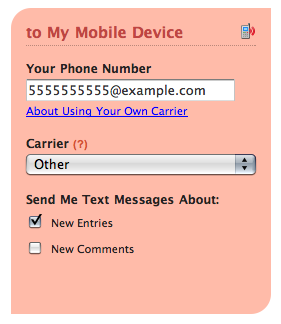
This feature is for our users on the go with varying tastes. While we’ve tried to provide a list of the most popular cellphone carriers for our mobile notifications feature, it’s unfortunately not scalable for us (or our interface) to add every cellular service out there to our list of supported carriers. Since nearly every carrier allows you to send an email to create a text message, we’ve decided to provide a way to add your own carrier if you know their email-to-sms format.
If your carrier is not listed in the mobile notification settings, you can now just choose **Other** from the Carrier dropdown field and provide your mobile carrier’s email to text message address format in the **Your Phone Number** field. Here’s an example of AT&T’s format:
**5555555555@txt.att.net**
Of course, you’ll need to replace the phone number and domain with your mobile number and carrier’s email pattern. For a list of common patterns, check out this Wikipedia article about [Email to SMS Gateways](http://en.wikipedia.org/wiki/SMS_gateways#Carrier-provided_email_or_web_to_SMS_gateways). If your carrier is not listed, contact your cellular provider’s help desk to see if they can provide it for you.
Comments
is it free?
Posted April 6th, 2009 by maira.