By Chris Coyier
You can export every single entry your Wufoo form has collected in one file. Perhaps you’ve run up against your maximum number of forms on your level of account and need to remove one to make room for another, but want to back up that data. Or say you are a spreadsheet wizard and want to do some fancy calculations with the data from there. Or perhaps you need a CSV file so you can move the form from one account to another. Well, here are the steps:
-
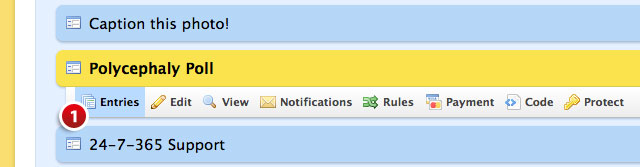
Click the Entries button underneath the form you want to export from the Form Manager. This will take you to the Entry Manager.
-
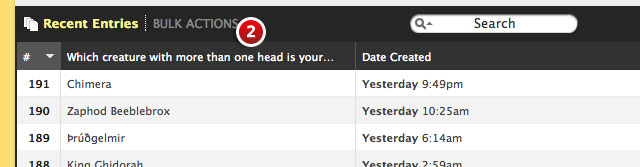
Click the Bulk Actions link to bring up the mass delete and export options.
-
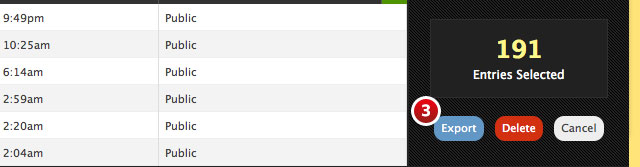
Click the Export button.
-
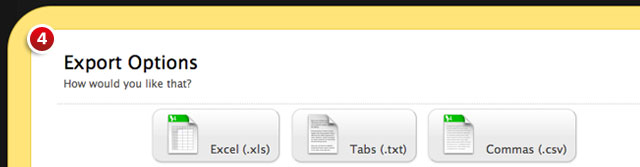
Choose your file format preference: Excel (.xls), Tabs (.txt), or Commas (.csv)
And that’s it. Here’s a quick video demo showing it all in action: