
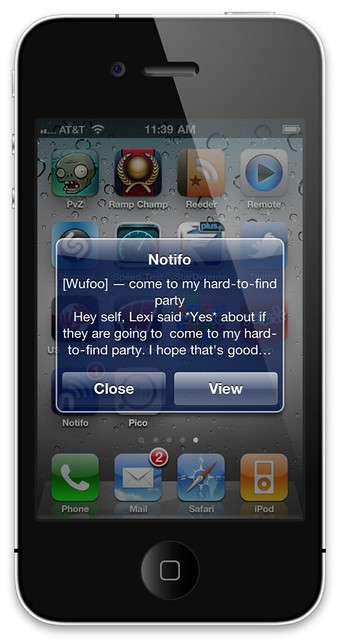
We’re excited to announce the addition of another integration to our lineup. This week we’ve added [Notifo](http://notifo.com), which is a service designed to push notifications to your mobile phone or desktop. Just signup for their service on their web site, download their software to your mobile or desktop environment and enjoy real time notifications from your Wufoo forms to your favorite working environment.
###Better than SMS
In the past, the best way to receive timely notifications of form submission was via SMS messaging. Unfortunately, this method of notification was saddled with some pretty serious [length limitations](/docs/notificaitons/#mobile “SMS Length Limitation Description”) and required special ordering of your fields. While SMS notifications are still available, the Wufoo/Notifo integration eliminates these roadblocks.
###Desktop Notifications
Notifo has [desktop applications](http://notifo.com/desktop) (for Mac, Windows, and soon Linux) which integrate with [Growl](http://growl.info/) on those platforms, so you can get instant desktop notifications from your form submissions as well as mobile notifications!
###Social Butterfly
Because the Notifo app plays nice with social apps, you may automatically update your chosen social feed with the message sent to your phone. This includes some services that Wufoo doesn’t directly support, like [Facebook](http://facebook.com) and [Posterous](http://posterous.com).
###Message Templating
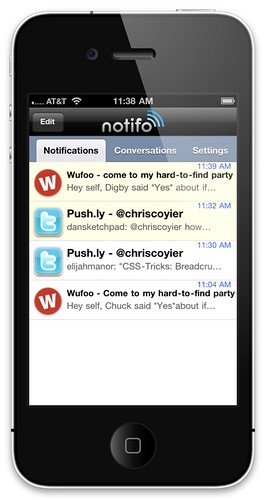
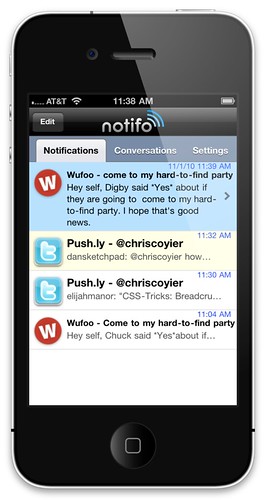
Because of the Wufoo [templating system](/docs/templating/ “Templating Documentation”), you may create a custom message for your notification. Need just the phone number? Great, add the templating code and you’re good-to-go. In the custom message we created for the screenshot to the right, our message was templated like so:
> Hey self, {entry:Field2} said \*{entry:Field1}\* about if they are going to {form:Name}. I hope that’s good news!
###See it in action!
###Entry Manager Links
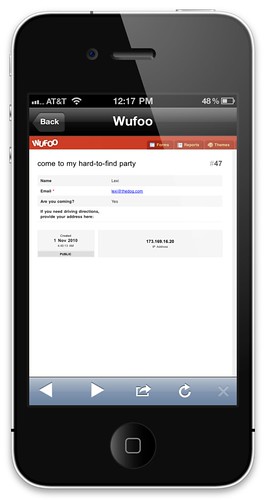
The data received through Notifo also contains a link back to your Wufoo account. So, with one click, you may view your entry data in the Wufoo [Entry Manager](/docs/entry-manager/ “Entry Manager Documentation”). This means easy viewing of the entire entry, editing, sending that entry to other email addresses, checking payment status, and more!
Integration with Notifo is available to all users across all plans. As always, you can read a detailed description about the integration in our [Notifo documentation](/docs/integrations/notifo/ “Notifo Documentation”) and on our [partner page](http://www.wufoo.com/partners/).
Comments
i love iphone
Posted November 2nd, 2010 by Driving Gloves.